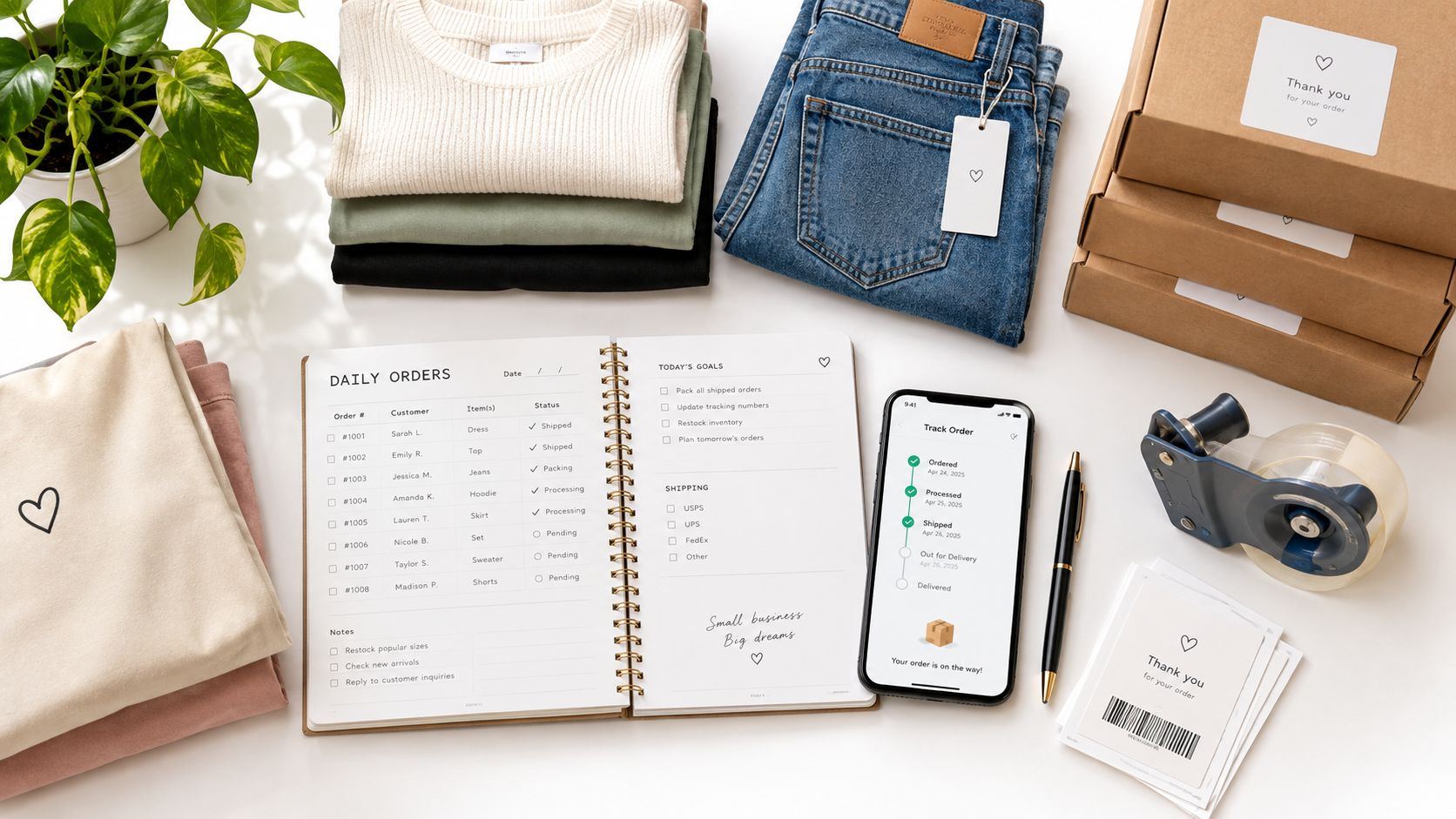
You open Whatnot after breakfast and find a sold jacket waiting to be packed. Then eBay shows another order for the same size, while Poshmark messages you about a bundle you forgot to reserve. Somewhere in a liquidation box, the item may still be uninspected, unlisted, or sitting under a description that doesn't match its actual condition.
That kind of morning doesn't mean your business is failing. It means a sticky note and separate marketplace inboxes have stopped being an adequate operating system. A daily orders planner gives every sale, return, reservation, and inventory exception a place to go, so you can make decisions from one working record instead of reconstructing the day from scattered notifications.
Table of Contents
- Why Boutiques Need a Daily Order Plan
- Building Your Order Tracking System
- Morning Workflow and Order Prioritization
- Handling Returns and Reverse Logistics
- Integrating Sourcing with Daily Sales
- End-of-Day Review and Preparation
Why Boutiques Need a Daily Order Plan
A reseller can manage a small order flow from memory. The process changes once inventory comes from mixed-brand boxes and moves through several channels at the same time. One garment might be shown during a Whatnot live sale, listed on eBay, saved in a Poshmark closet, and mentioned in a direct message. If the stock count doesn't update after the first sale, the next buyer receives an apology instead of a shipment.
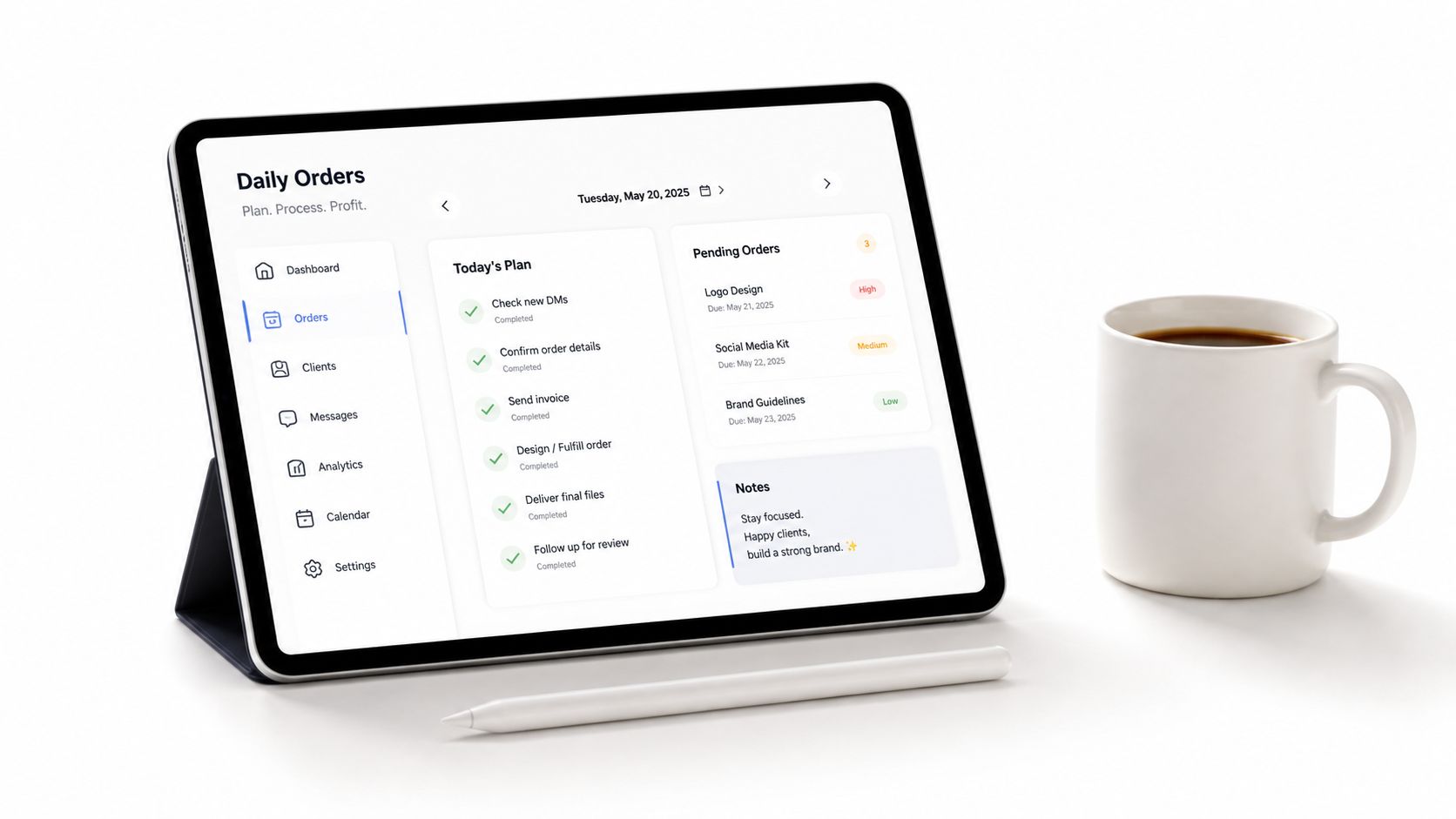
The planner's job isn't to record revenue. It connects the order, the item, the channel, the promised ship date, and the physical location of the stock. That connection reduces the mental load created by switching between marketplace dashboards. It also makes exceptions visible, including unpaid orders, missing measurements, ungraded condition, and items reserved for a bundle.
The wider ecommerce environment makes this discipline more important. The U.S. Census Bureau's Annual Retail Trade Survey began collecting ecommerce data in 1998, when online sales totaled $5.0 billion, and U.S. ecommerce sales reached $571.2 billion in 2019 before rising to $815.4 billion in 2020, an increase of $244.2 billion, or 43%. These figures are summarized with the survey history by Capital One Shopping's ecommerce statistics research. Sellers now operate in a larger, faster, and less forgiving environment than the early online retail model.
Practical rule: If an item can be sold in more than one place, its availability needs one owner, one status, and one update process.
A workable plan also protects the buyer experience. You can identify which orders are ready to pack, which need a stock search, and which require a message before the shipping promise becomes a problem. Consistent handling supports the seller ratings that matter on competitive platforms, while an informal system leaves customers absorbing the cost of internal confusion.
Building Your Order Tracking System
Start with a row for every order, not a daily total. A total tells you how much activity happened. It doesn't tell you which black blouse is waiting for inspection, which order has an unpaid balance, or whether an item sold on eBay after being reserved during a Whatnot show.
Create one working record
Use a spreadsheet, Airtable, inventory application, or order-management platform that your team will update. The technology matters less than the rule that every channel feeds the same operational view. If a marketplace can't synchronize automatically, add a manual capture step at the moment the sale is confirmed.
Your first columns should identify the transaction and the merchandise:
- Order ID: Use the platform's reference, plus an internal code if you need to locate the package quickly.
- Sales channel: Record Whatnot, eBay, Poshmark, Depop, direct invoice, or another source.
- SKU or item description: A unique SKU is preferable, but a precise description is better than an empty field.
- Brand, category, size, and color: These details help you find the item and identify duplicate listings.
- Condition status: Mark inspected, listed, reserved, sold, returned, damaged, or unavailable.
- Cost basis and listing price: Keep the purchase allocation separate from the selling price so gross margin isn't guessed later.
- Promised ship date and actual ship date: The first sets the service obligation, while the second lets you assess execution.
- Payment, allocation, carrier, and tracking status: These fields show whether an order is financially and physically ready to move.
| Data Field | Purpose |
|---|---|
| Order ID | Finds the transaction across customer service, packing, and reconciliation |
| Sales channel | Shows where the sale occurred and which rules apply |
| SKU or item description | Connects the digital order to the physical garment |
| Brand, category, size, and color | Speeds picking and prevents look-alike substitutions |
| Condition status | Stops uninspected or returned goods from being treated as sellable |
| Cost basis | Supports margin review and sourcing decisions |
| Listing price | Preserves the original commercial context |
| Promised ship date | Establishes the service deadline |
| Actual ship date | Measures whether the workflow met that promise |
| Payment status | Separates confirmed orders from transactions needing attention |
| Inventory allocation | Shows whether the exact unit is reserved |
| Carrier and tracking status | Confirms handoff and supports customer updates |
| Backorder or exception note | Keeps unresolved problems visible instead of buried in messages |
Add an exception queue
Mixed lots create items that don't fit a clean SKU structure. A garment may arrive without a tag, have an unexpected size, need a stain check, or be unsuitable for the channel where you first intended to list it. Put those cases in a separate exception queue with an owner and next action.
Don't mark inventory as available merely because it arrived. Mark it available after inspection, condition grading, measurements, photography, and listing entry are complete. That distinction prevents overselling stock that exists physically but isn't ready to fulfill.
Morning Workflow and Order Prioritization
A calm shipping day starts before the first label prints. The morning review should answer three questions in order: what sold, where is it, and what must leave first? Checking orders without checking physical allocation creates false confidence.
Use a short operating sequence
- Reconcile new sales. Pull orders from each channel and match them against the single inventory record. Check reserved units, duplicate listings, bundle adjustments, and unpaid transactions.
- Filter by promise. Flag orders with same-day requirements, expedited service, customer commitments, or a ship date that leaves little room for delay.
- Resolve stock exceptions. Search the assigned bin, rack, box, or overflow area. If the item can't be found, pause the order and investigate the listing before promising a substitute.
- Batch the physical work. Pick by warehouse zone or storage type, then pack by order priority. Batching reduces repeated walking without hiding urgent shipments.
- Post the handoff. Add the actual carrier and tracking details immediately after the parcel leaves your workspace.
| Order condition | First action | Why it matters |
|---|---|---|
| Fast shipping promise | Pick and verify immediately | Protects the narrowest service window |
| Paid, allocated, standard shipment | Batch with nearby orders | Uses labor efficiently |
| Unpaid or failed transaction | Hold and flag | Prevents premature allocation |
| Missing item or duplicate sale | Investigate before packing | Avoids cancellation and miscommunication |
| Special packaging request | Confirm materials and note | Prevents a correct item from becoming a poor delivery |
| Uninspected new stock | Keep out of available inventory | Stops incomplete listings from entering fulfillment |
The fulfillment workload deserves daily attention because online orders often involve outsourced or third-party operations. Available research estimates the global fulfillment-services market at approximately $140.1 billion in 2025, with 13.3% year-over-year growth, and estimates average online-order fulfillment turnaround at 4.2 days. It also reports that 60% of online retailers outsource at least part of fulfillment, while 20% outsource the entire process. These figures appear in Thunderbit's online sales numbers research. Use the benchmark as a warning signal, not a promise that every apparel order should follow the same schedule.
More than 90% of online shoppers are reportedly likely to abandon a purchase after unexpected shipping costs, and 73% may refuse to complete a purchase if they don't trust the delivery provider, according to the same source. Your planner should therefore expose shipping cost and carrier status, not just item price. For practical guidance on the broader selling workflow, see this guide to starting an online clothing business.
This visual summarizes the physical sequence:
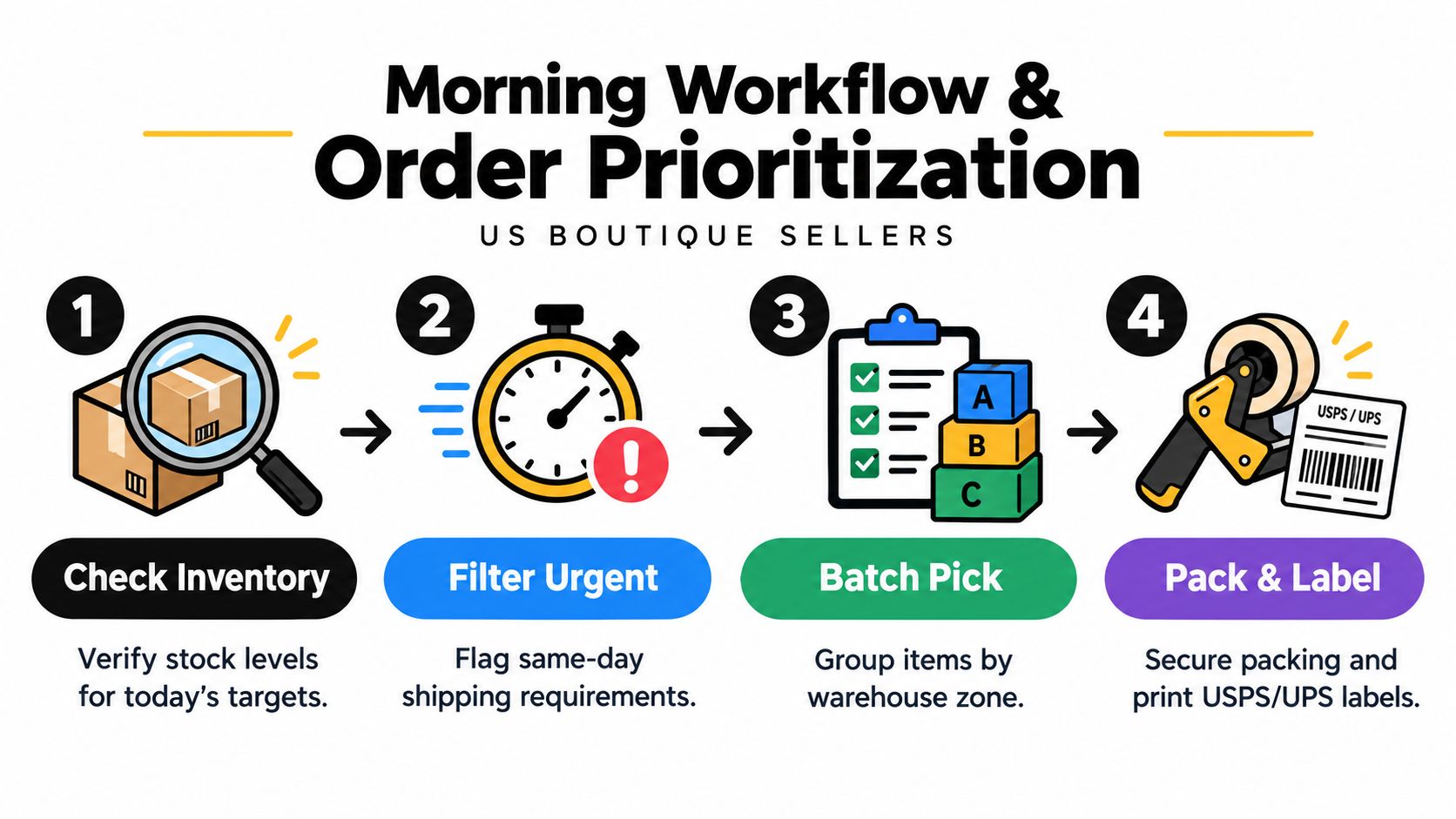
If your team uses training media, keep it beside the written process so new packers can see both the rule and the action.
Handling Returns and Reverse Logistics
Outbound orders are only half of the daily workload. A returned garment isn't automatically available stock, and treating it that way can create a second customer-service problem. The planner should give returns their own queue, status, deadline, and labor estimate instead of subtracting them from shipped orders and moving on.
Returns research found that 56% of apparel and footwear brands reported return rates at or above 30%, while 74% said effective returns processing was important or very important in fulfillment partners, according to the 2025 State of Returns report from Radial. Those figures describe a broad apparel market, not a forecast for your shop, but they explain why a reseller can't plan accurately by counting outbound parcels alone.
Give every return a decision path
When a package arrives, record the order ID, received date, refund deadline, original channel, and item condition. Then make a resale decision based on evidence rather than speed:
- Relist as received: Use this only when tags, measurements, appearance, and original description still match.
- Relist with a correction: Update photos, condition notes, measurements, or disclosure when the original listing was incomplete.
- Repair or clean: Record the task and labor required before the unit returns to available inventory.
- Discount: Use a separate price status when wear, missing tags, or cosmetic issues change buyer expectations.
- Hold for review: Keep questionable items out of active stock until someone makes a documented decision.
- Remove from inventory: Mark damaged or unsellable goods clearly so they aren't offered again by another channel.
Liquidation apparel needs extra care because a return may come back with odor, makeup, wear, a missing tag, or a condition different from the original listing. Photographing and grading the piece again can take longer than processing a standard return, but that work protects the accuracy of the next listing.
A returned unit is not inventory until someone has verified that it is sellable.
The financial view matters too. A return can involve a refund, platform fee, inbound shipping, inspection time, cleaning, repackaging, and a changed resale price. Your planner doesn't need to predict every cost perfectly. It does need to make those costs visible so a high-volume channel or product category isn't judged only by gross sales.
The same logic applies to sourcing decisions. If you buy liquidation inventory in bulk, review the guide to Amazon pallets for sale with the understanding that incoming units still need inspection and classification before they enter sellable stock. A clean return queue keeps reverse logistics from distorting your available inventory.
Integrating Sourcing with Daily Sales
Bulk sourcing and individual fulfillment can feel like separate businesses. One involves boxes, pallets, receiving space, and quality checks. The other involves a single buyer waiting for a particular size in a particular condition. A strong daily orders planner connects them through item status and demand signals.
When a mixed-brand box arrives, create an intake record before listing anything. Note the source lot, arrival date, storage location, inspection status, brand, category, size, condition, and intended channel. This creates an audit trail from the purchase decision to the eventual order.
Convert receiving into sellable inventory
Use a receiving lane with clear stages:
- Unopened or unprocessed: The stock exists, but nobody should promise it to a customer.
- Inspected: The item has passed the initial condition check.
- Prepared: Measurements, photography, cleaning, repair, or tagging are complete.
- Listed: The item has a channel assignment and an active record.
- Reserved or sold: The unit is no longer generally available.
- Returned or exception: The item needs a new decision before relisting.
This structure helps you spot the difference between a real stockout and a preparation bottleneck. If customers want a brand and size that repeatedly sits in the unprepared lane, the answer may be more receiving labor rather than more purchasing. If a listed size sells quickly across several channels, you can investigate replenishment before the rack is empty.
Plan replenishment around evidence
Don't use total order volume as your only sourcing signal. Break sales down by brand, size, category, condition, channel, and time since listing. A Whatnot audience may respond to a different mix than eBay buyers, while Poshmark demand may favor a different set of sizes or styles. The planner should preserve those distinctions.
Sourcing check: Buy more of what your workflow can inspect, list, store, and fulfill reliably. A cheap lot becomes expensive when it creates an unprocessed backlog.
The broader inventory problem is well documented. A 2025 survey of 200 U.S. and U.K. online retailers found that only 36% had full inventory visibility, while 57% reported minor visibility issues. Another 2025 retail survey found that 71% of retailers had no or only partial advanced order-management capabilities, and only 27% used one system integrating point-of-sale, inventory, and finance data, as summarized in Linnworks' State of Commerce Ops report. Those figures reinforce a practical point: a planner doesn't need to be advanced to improve control, but it must bring fragmented stock decisions into one view.
For sellers evaluating wholesale supply, this wholesale clothing resource for boutique owners can help frame sourcing around channel fit, budget, and the amount of inventory your operation can process.
End-of-Day Review and Preparation
The day isn't finished when the last parcel is taped. Close the loop while the details are still visible. A short review prevents tomorrow's orders from inheriting today's unanswered questions.
Use a repeatable closing checklist
- Confirm shipments: Match every packed order with the correct tracking number and carrier.
- Flag failures: Record declined payments, address problems, cancelled orders, missing items, and customer messages that need follow-up.
- Update inventory: Move shipped units out of available stock and keep returns or exceptions in their separate statuses.
- Review promises: Identify any order that wasn't shipped as expected and assign the next action.
- Reset the workspace: Return packing materials, labels, scanners, and unprocessed garments to defined locations.
- Prepare tomorrow: Pre-sort urgent orders, note expected inbound stock, and leave a clean exception queue.
A daily orders planner works because it turns scattered decisions into visible statuses. It reduces morning reconstruction, improves picking accuracy, keeps returned goods from contaminating available inventory, and gives sourcing decisions a connection to actual sales. The result isn't a perfect day. It's a business that can recover quickly when the day gets messy.
If you need brand-name apparel liquidation boxes or custom lots for boutiques, marketplace listings, and live-sale inventory, OneTrendyCloset offers curated sourcing options designed around different reseller needs. Visit the site to review available boxes, request a quote, and build a replenishment routine that fits your daily orders planner.